
Sign Up by SignUp.com
VolunteerSpotProductivity
2.442.00 Reviews
- Version
- 4.3.1
- Installs
- 10.00K
- Age Rating
- Everyone
Screenshots
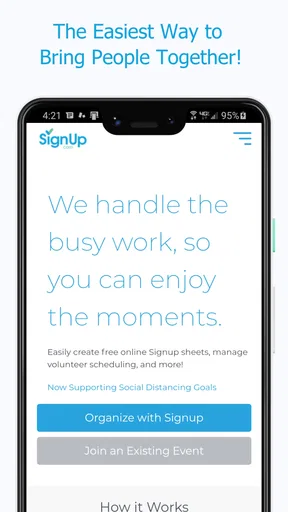
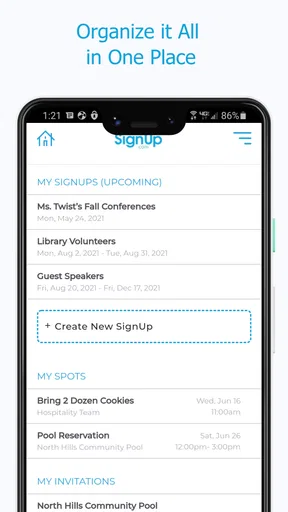
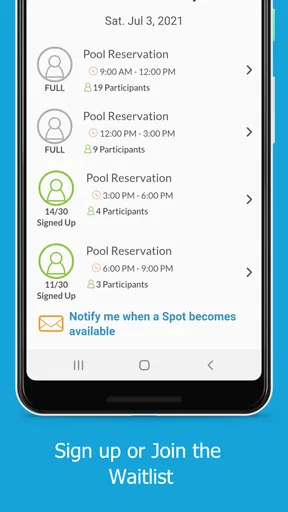
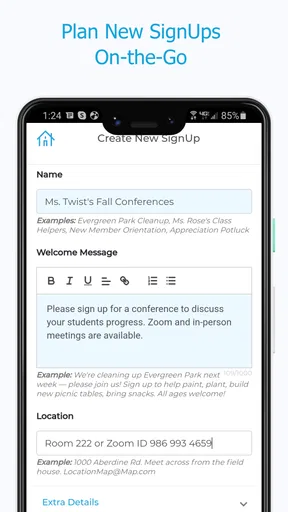
Our Review of Sign Up by SignUp.com
 Analysis by Appyee
When a household has several calendars, school notices and volunteer commitments competing for attention, even a simple event can turn into a chain of messages. I find a shared signup most useful when everyone needs to choose a task or time slot without relying on one person to keep track of every reply. SignUp by SignUp.com is aimed at that kind of coordination: it gives organizers a place to arrange an event and lets participants respond through a web link.
That setup can work well for a class activity, a neighborhood gathering or a family event where different people are bringing food, covering a shift or helping at a particular time. It is less compelling if all you need is a private reminder or a basic shared calendar. The distinction matters: this is a coordination tool for collecting participation, not a replacement for every household’s calendar, chat and personal task list.
One signup, several people, different responsibilities
A realistic use might be a school event that needs volunteers across several time slots. One parent can organize the signup, while other adults open the web link and choose where they can help. The organizer then has a clearer view of what has been claimed and what still needs attention, rather than piecing together separate replies in a family chat.
For shared-device households, that link-based participation is particularly practical. A person does not necessarily need to install the app just to take part, so a relative helping with an event can use the signup without adding another app to a phone used by several family members. I would still keep the organizer’s account and the household’s personal calendar distinct: a public-facing event link is useful for coordination, while private appointments belong in the calendar each person already trusts.
Decide who owns the organizer account
Before setting up a family or school signup, I would agree on who is responsible for creating it and keeping the details current. If several people share a device or account, it can become unclear who made a change or is expected to answer questions. A single organizer, with other adults participating through the signup, is usually a cleaner arrangement than passing one login around.
That boundary is also helpful when children are involved. I would have an adult manage the event and decide what information is appropriate to share, rather than assuming that a child should handle the organizer role. The app is rated for Everyone, but that is not the same as a household privacy plan; adults should still use sensible judgment about names, schedules and any details participants can see.
For a small gathering, a group chat may be faster because everyone is already there. When the event has repeated shifts, several jobs or a need to see which places remain open, a signup is more orderly. My practical tip is to write each slot or task in plain language before inviting people. Clear labels reduce follow-up messages and make it easier for someone glancing at the page on a phone to choose correctly.
Getting Started with Ease
The first thing I noticed about SignUp by SignUp.com is its incredibly user-friendly interface. Seriously, it’s like the app reads your mind, predicting what you need before you even realize it. Setting up an account is a piece of cake, and before you know it, you’re diving right into creating your first event.
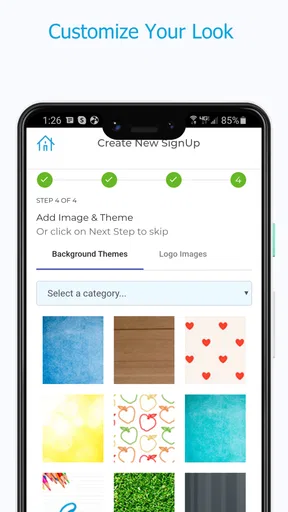
Creating an event is as simple as pie. You just enter the details, pick your dates, and you’re off to the races. What I loved was the ability to customize everything to my heart’s content. Whether you’re planning a school fundraiser, a potluck, or even a volunteer schedule, the app has got you covered.
Features that Make Life Simpler
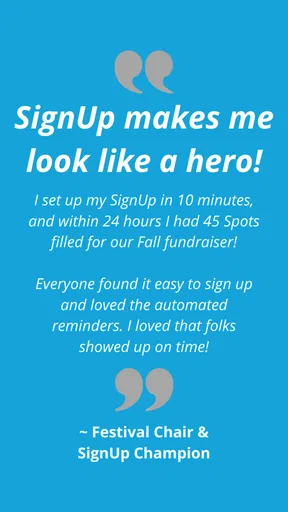
Now, let’s talk about some of the features that genuinely impressed me. First off, the automated reminders are a game-changer. I’m the kind of person who forgets what I had for breakfast, so having the app send out reminders to participants is a lifesaver.
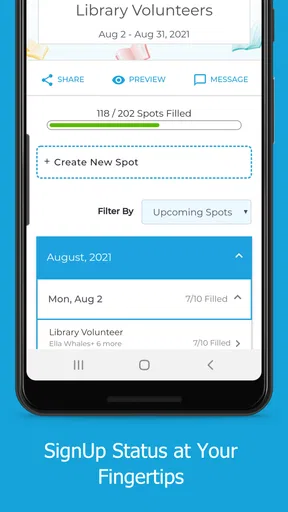
Another standout feature is the ability to track RSVPs effortlessly. Gone are the days of fretting over who’s coming and who’s not. The app provides real-time updates, so you’re always in the loop. Plus, it integrates smoothly with your calendar, ensuring you never double-book yourself again.
Oh, and did I mention the neat little feature where participants can swap slots with one another? This is especially handy for those last-minute changes that inevitably pop up.
Mobile Experience
I tried the app on both Android and iOS, and let me tell you, it runs like a dream on both platforms. The mobile experience is seamless, and everything you can do on the desktop, you can do on your phone or tablet. It’s perfect for those of us who are always on the go.
What’s really cool is that participants don’t even need to download the app to join in on the fun. They can simply access everything through a web link. Talk about making life easier!
For an organizer, the mobile convenience is most useful in the messy middle of an event: checking who has taken a slot, noticing an opening and responding when plans shift. But I would not treat a signup as a substitute for confirming a time-sensitive change directly. If someone is covering a shift at short notice, a quick personal message can make sure they have seen the change; the signup remains the shared record, while direct contact handles urgency.
That distinction also helps when relatives have different habits. One person may check a calendar, another may rely on messages, and someone else may only open the link when asked. I would send the signup with a short explanation of what action is needed and by when, rather than assuming everyone will discover it on their own. A clear invitation is part of making the tool work, not an extra administrative chore.
Support and Community
Navigating through any app can sometimes lead to a few head-scratching moments, and that’s where the customer support of SignUp.com shines. They’ve got a responsive team ready to help out, plus a wealth of resources and how-to guides that I found super helpful.
There’s also a community of users who share tips and tricks on making the most of the app. It’s like having a little support group cheering you on as you plan your event.
In everyday use, the main question I would ask before inviting a group is whether the organizer needs a roster of commitments or simply a conversation. For a potluck, assigning specific dishes can prevent five people from bringing the same thing; for a volunteer day, time slots can make coverage gaps visible. For a casual family dinner where everyone is already discussing plans together, a message thread is probably lighter and quicker.
The same trade-off applies against a standard calendar. A calendar is better for keeping personal appointments and viewing a household’s schedule over time. A signup is more focused when the task is to collect choices or distribute responsibilities. I would use both only when each has a clear job: the signup gathers commitments, and the calendar records the event people have agreed to attend. Duplicating every detail in several places can create confusion if one version changes and the others do not.
SignUp is a paid productivity app from VolunteerSpot, priced at $1.99. It has an average rating of 2.4 from 66 ratings, with 42 reviews, and has been installed over 10,000 times. It was released on August 7, 2013; version 4.3.1 requires Android 5.1 or later, and its age rating is Everyone. Those figures make me cautious rather than dismissive: the modest rating is a reason to check that the app suits your device and workflow before building an important event around it, especially if your group depends on a smooth, reliable process.
I would also separate the decision to pay from the decision to use a signup at all. If the event is one-off and simple, a shared message or calendar entry may be enough. If repeated coordination, volunteer slots or parent-teacher conference scheduling is a regular headache, paying for a dedicated tool may feel worthwhile because it gives the organizer a more structured way to collect participation. The value depends on whether that structure saves your group from a meaningful amount of back-and-forth.
Final Thoughts
In a world where organization can often feel overwhelming, SignUp by SignUp.com steps in to save the day. Its intuitive design, coupled with a robust set of features, makes it a must-have tool for anyone looking to streamline their planning process. Whether you’re a seasoned event planner or just someone trying to organize a simple get-together, this app is definitely worth checking out.
So, next time you’re feeling buried under a mountain of planning tasks, remember that help is just a download away. Give it a try, and you might just find yourself wondering how you ever managed without it!
For a household, my recommendation is more measured: use it when there are real choices to gather, such as who can help, which slot someone can cover or what contribution is still needed. Keep one adult clearly accountable for the signup, avoid putting sensitive family details into an event participants can access, and share the link with a plain explanation. That approach makes the app a useful layer in your routine without turning it into the owner of every family plan.
I would skip it if your group resists opening links, if a private calendar is all you need, or if a low-friction chat already solves the problem. But when a school, volunteer group or extended family repeatedly loses track of who agreed to do what, a dedicated signup can bring welcome order. That focused role—not replacing every other planning tool—is where I see its strongest case.
Verdict
Strengths of Sign Up by SignUp.com
- User-friendly interface design.
- Easy event scheduling and management.
- Supports multiple languages.
- Integrates with calendar apps.
- Offers email reminders and notifications.
Limitations of Sign Up by SignUp.com
- Limited features in free version.
- Occasional sync issues with calendars.
- No offline mode available.
- Somewhat cluttered dashboard.
- Limited customization options.
Similar Picks in This Category
View All
Google Calendar
Google LLC4.6

Google Drive
Google LLC4.3

Google Assistant
Google LLC3.9

Microsoft OneDrive
Microsoft Corporation4.6

Samsung Calendar
Samsung Electronics Co., Ltd.4.1

Microsoft OneNote: Save Notes
Microsoft Corporation4.6
Frequently Asked Questions
What is Sign Up by SignUp.com and how does it work?
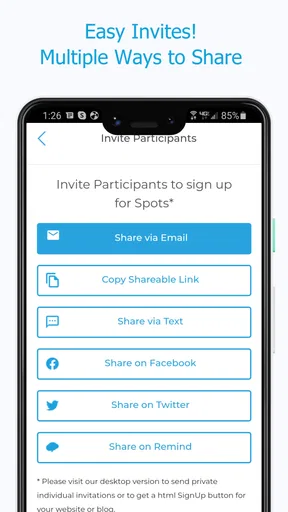
Sign Up by SignUp.com is an intuitive app designed to streamline the process of organizing events, meetings, or volunteer activities. Users can easily create and manage sign-ups for different events, send invites, and track responses. It eliminates the hassle of back-and-forth emails by providing a centralized platform for communication and scheduling.
Is Sign Up by SignUp.com free to use?
Yes, Sign Up by SignUp.com offers a free version with basic features suitable for small-scale events and activities. However, for larger events or additional features such as custom branding and advanced reporting, users may need to subscribe to a premium plan. The app provides flexibility to cater to various organizational needs.
What platforms is Sign Up by SignUp.com available on?
Sign Up by SignUp.com is available for both Android and iOS devices, ensuring a wide reach and accessibility. Users can easily download the app from the Google Play Store or the Apple App Store. Additionally, a web-based version is available, allowing users to access their events from any browser.
Can I customize event sign-ups with Sign Up by SignUp.com?
Yes, the app allows for a high degree of customization. Users can personalize sign-up sheets with specific time slots, volunteer roles, and event details. It also supports custom notifications, ensuring that participants are reminded about upcoming events. This flexibility makes it suitable for a wide range of activities.
How secure is the data on Sign Up by SignUp.com?
Sign Up by SignUp.com prioritizes user data security by employing industry-standard encryption and data protection protocols. Users can feel confident knowing that their personal information and event details are secure. Additionally, the app regularly updates its security measures to safeguard against potential threats.
